
Install the Package
-
Log in and navigate to the installation URL.
-
Select Install for All Users.
-
Acknowledge the non-Salesforce AppExchange warning and click Install.
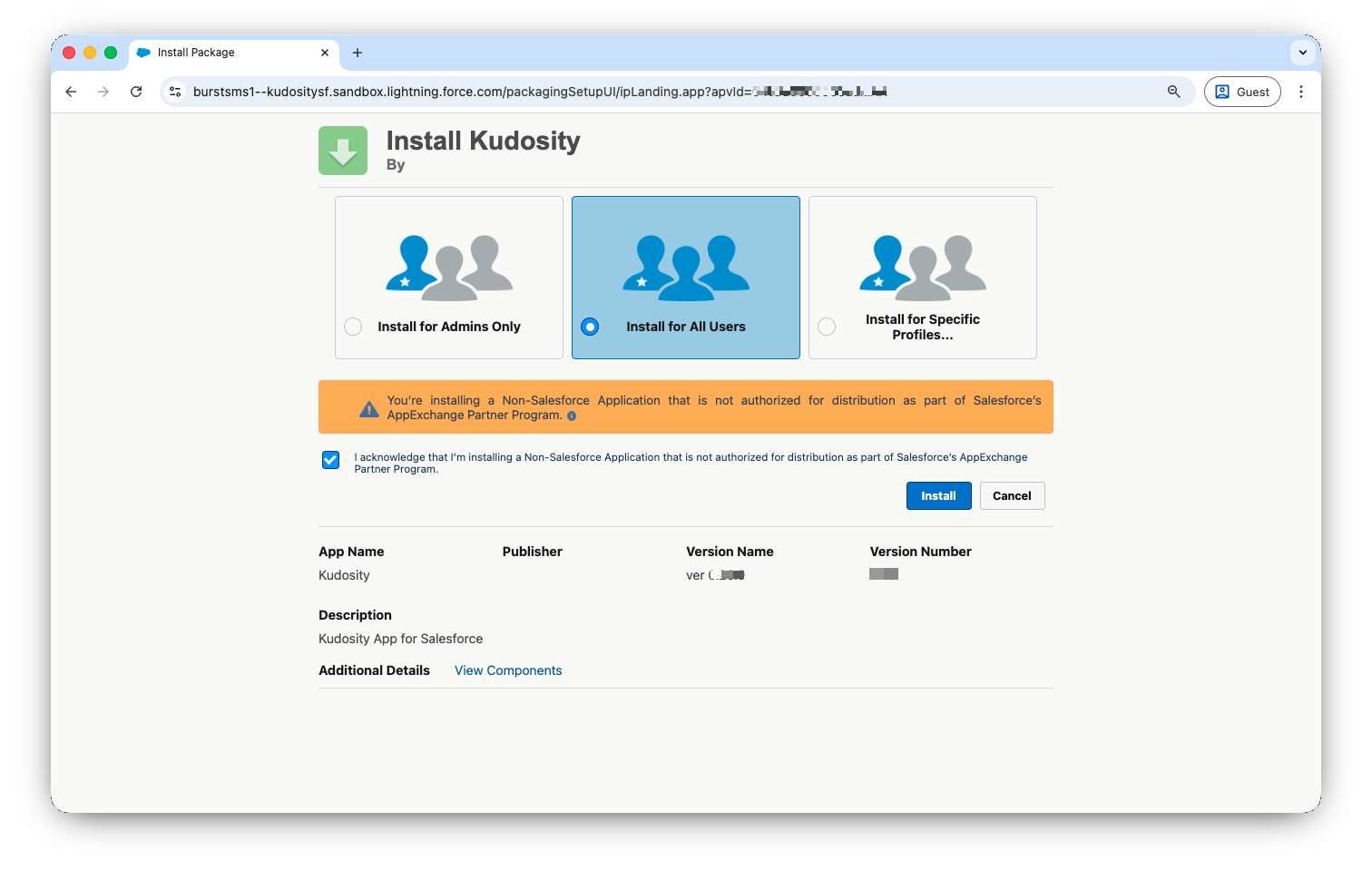
-
Approve third-party access to the Kudosity API — tick the checkbox and click Continue.
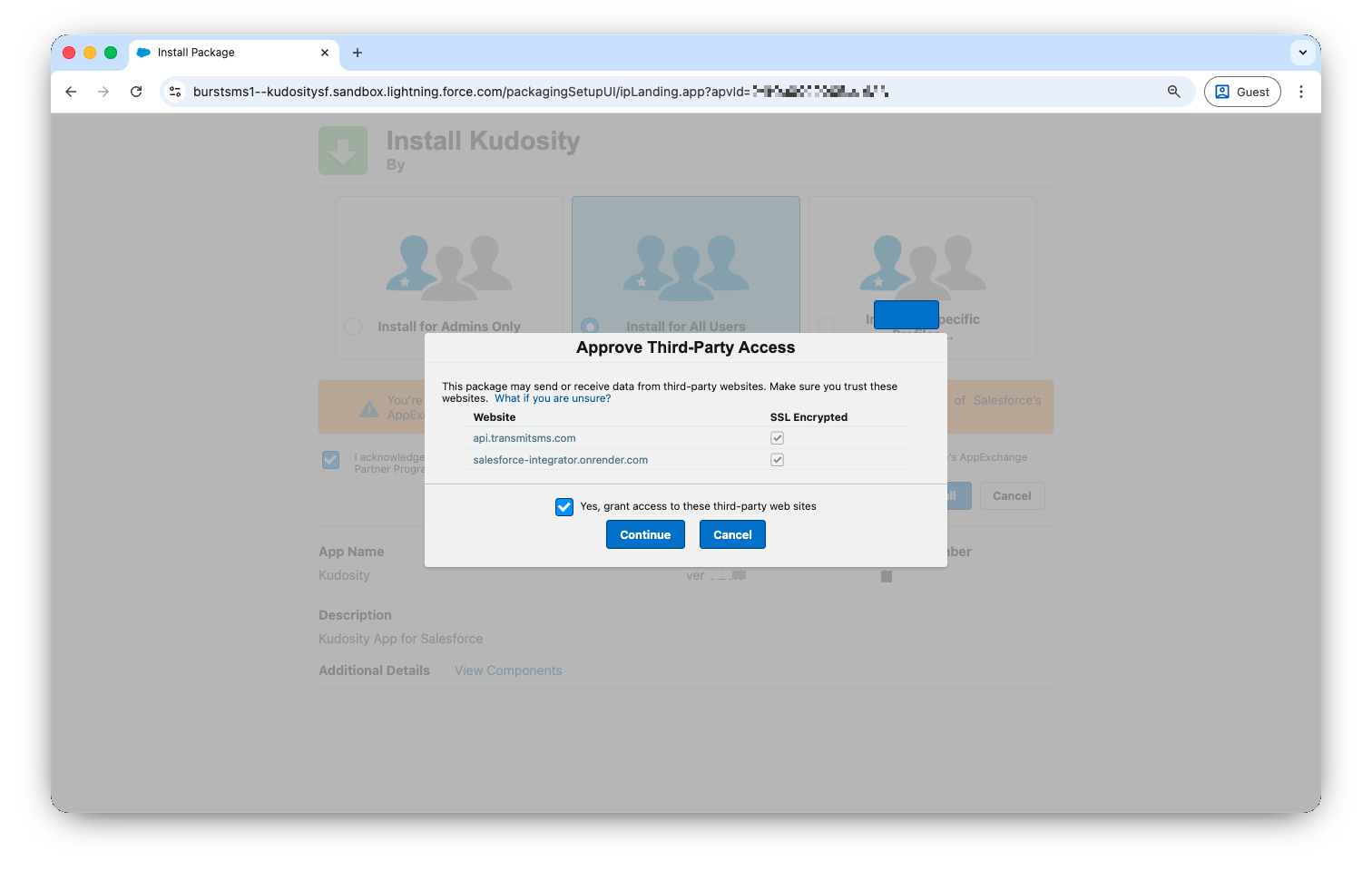
-
Wait approximately 1 minute for installation to complete, then click Done.
If installation is taking longer than expected, you will receive an email when it completes.
Upgrading from a previous version? Navigate to the same install URL while logged into your existing org. Salesforce will detect the existing package and prompt you to upgrade rather than reinstall. If you encounter a duplicate metadata error, go to Setup → Custom Metadata Types → Credentials and remove the existing record before reinstalling.
Updated 5 months ago