
Connect Salesforce to Your Kudosity Account
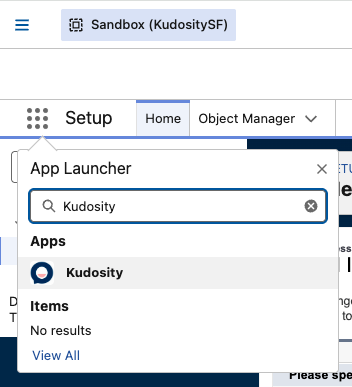
- Open the App Launcher (9-dot grid icon, top-left navigation bar) and search for Kudosity.
- Click the Kudosity app result — you will be taken to the setup screen.
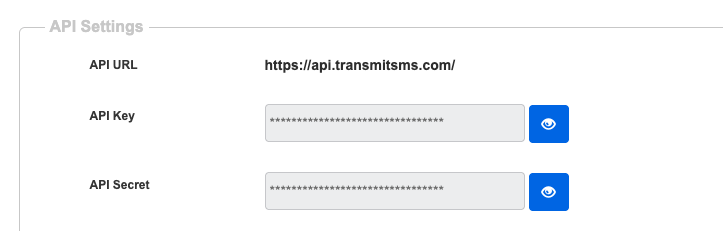
- Navigate to your Kudosity account Settings and copy your API Key and API Secret.
If there is no API Secret shown in your Kudosity account, click Update Profile at the bottom of the Settings screen to generate one.
-
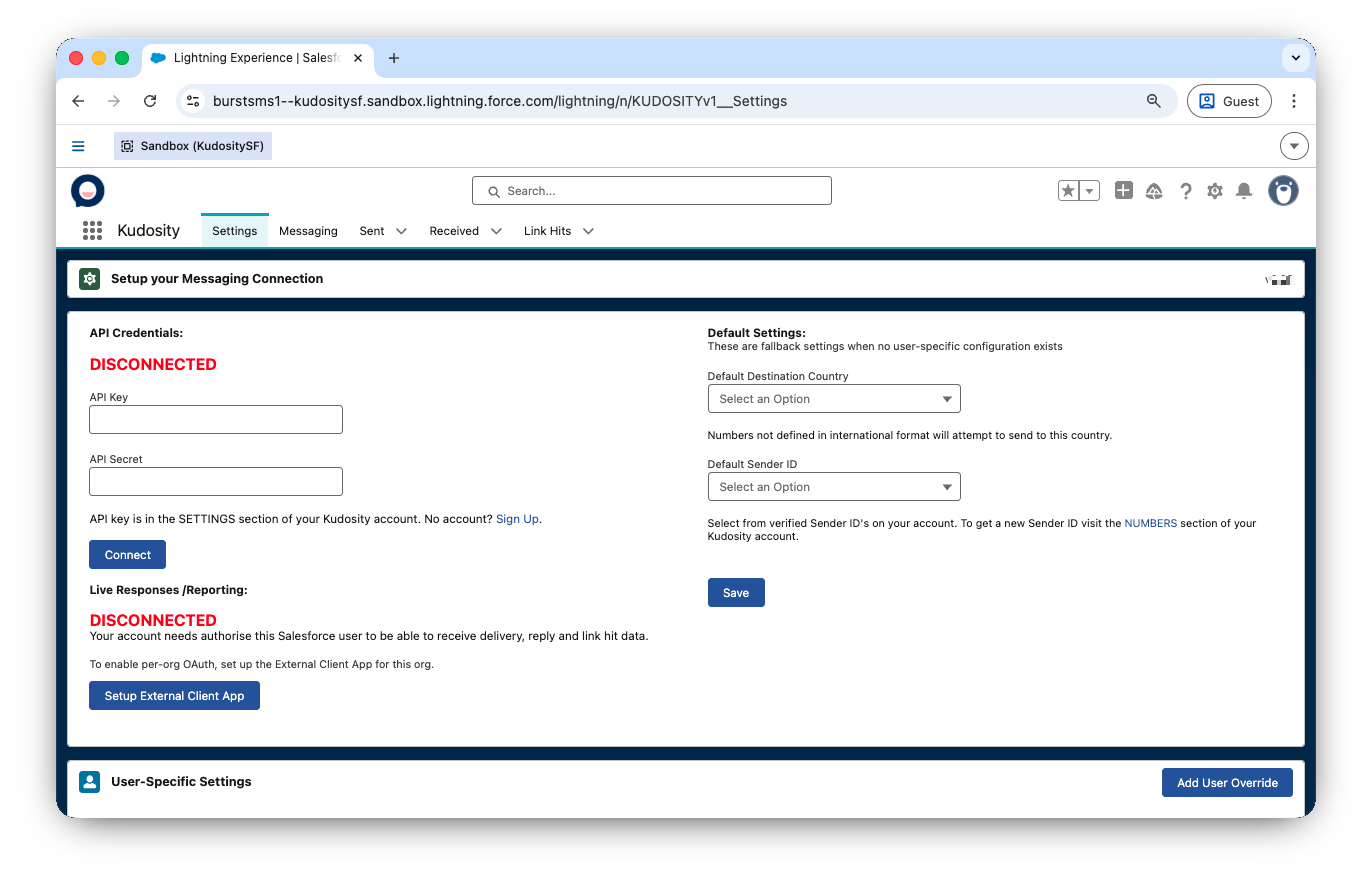
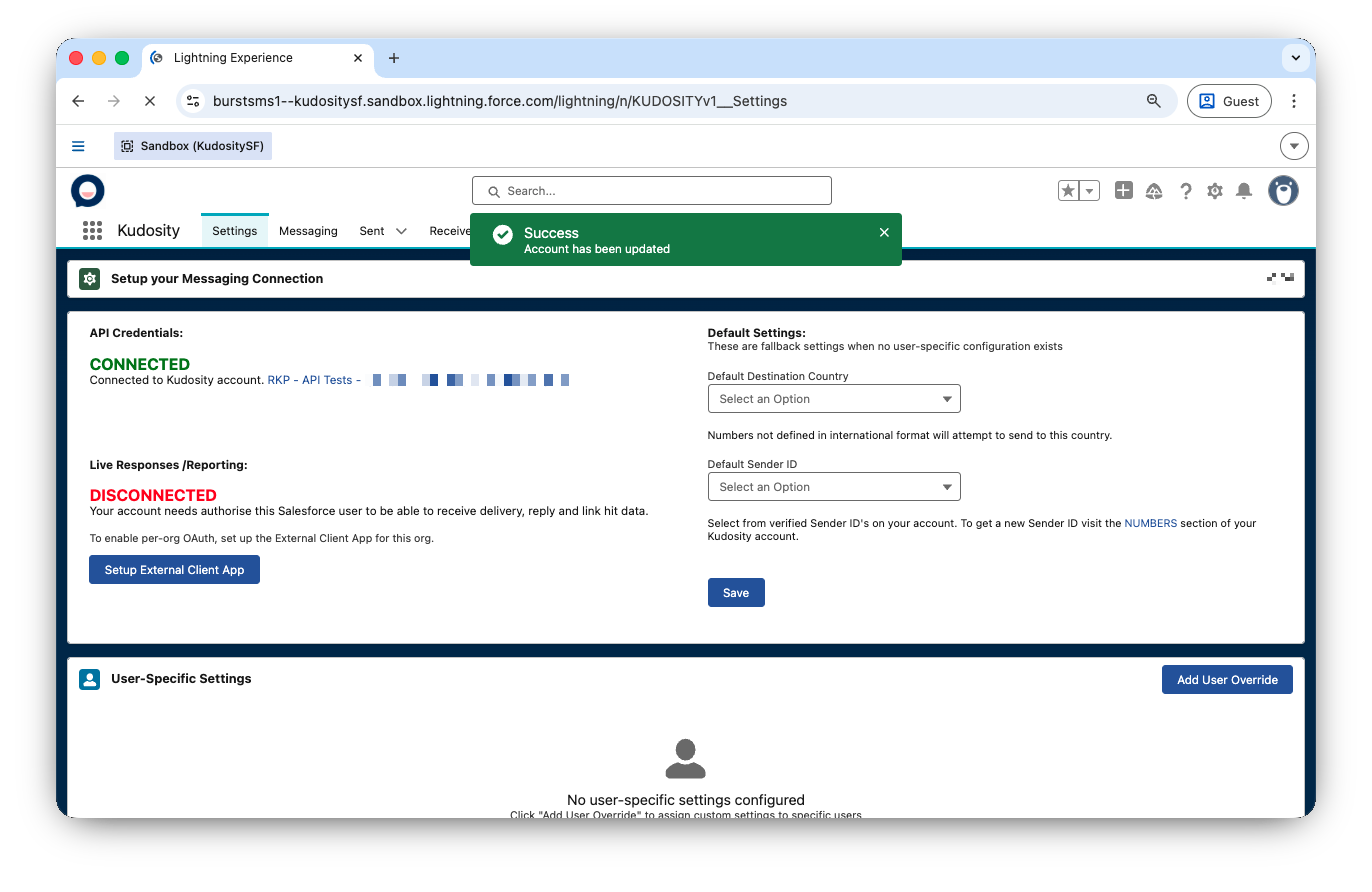
Paste your API Key and API Secret into the setup screen and click Connect
Updated 5 months ago
What’s Next
Did this page help you?