
Assign User Permissions
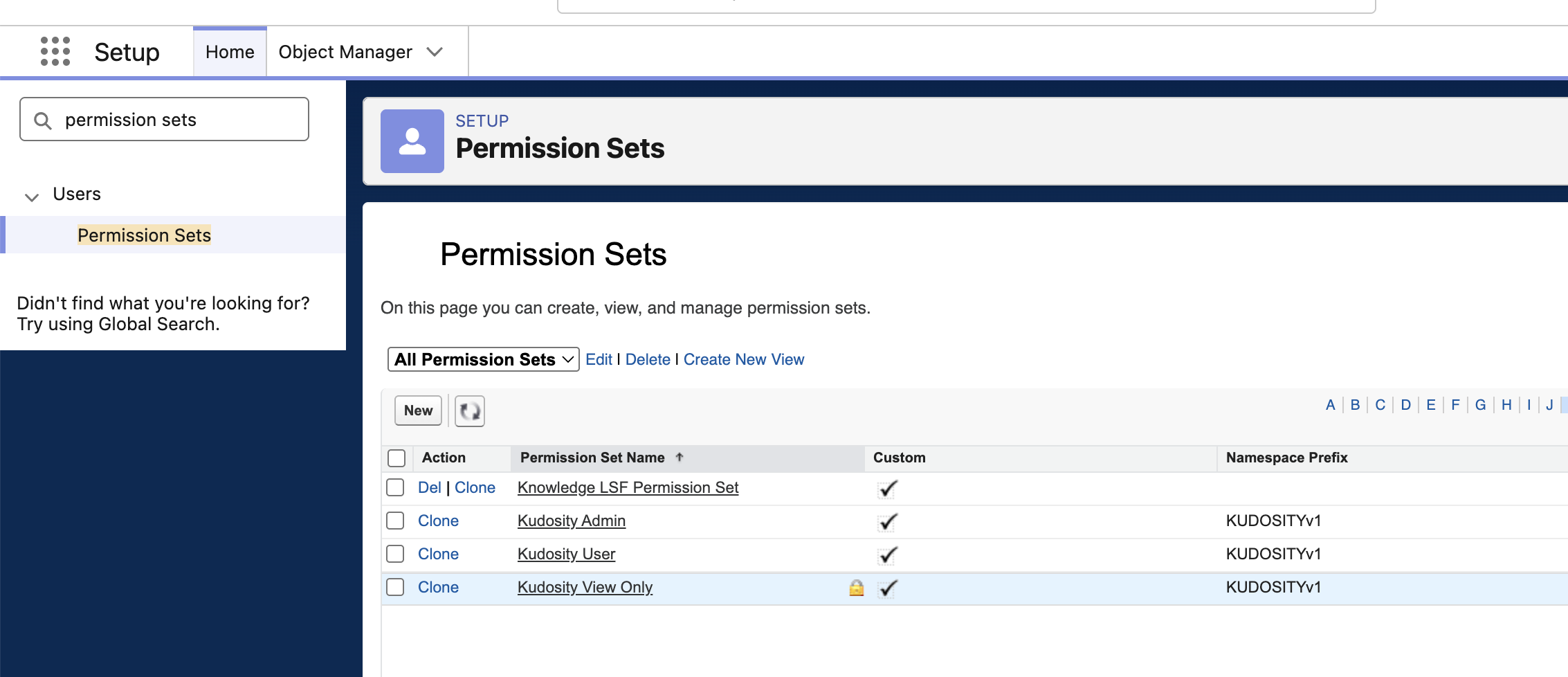
The package installs three permission sets. Assign one to every person who needs the app — by default, only the administrator who installed the package has access.
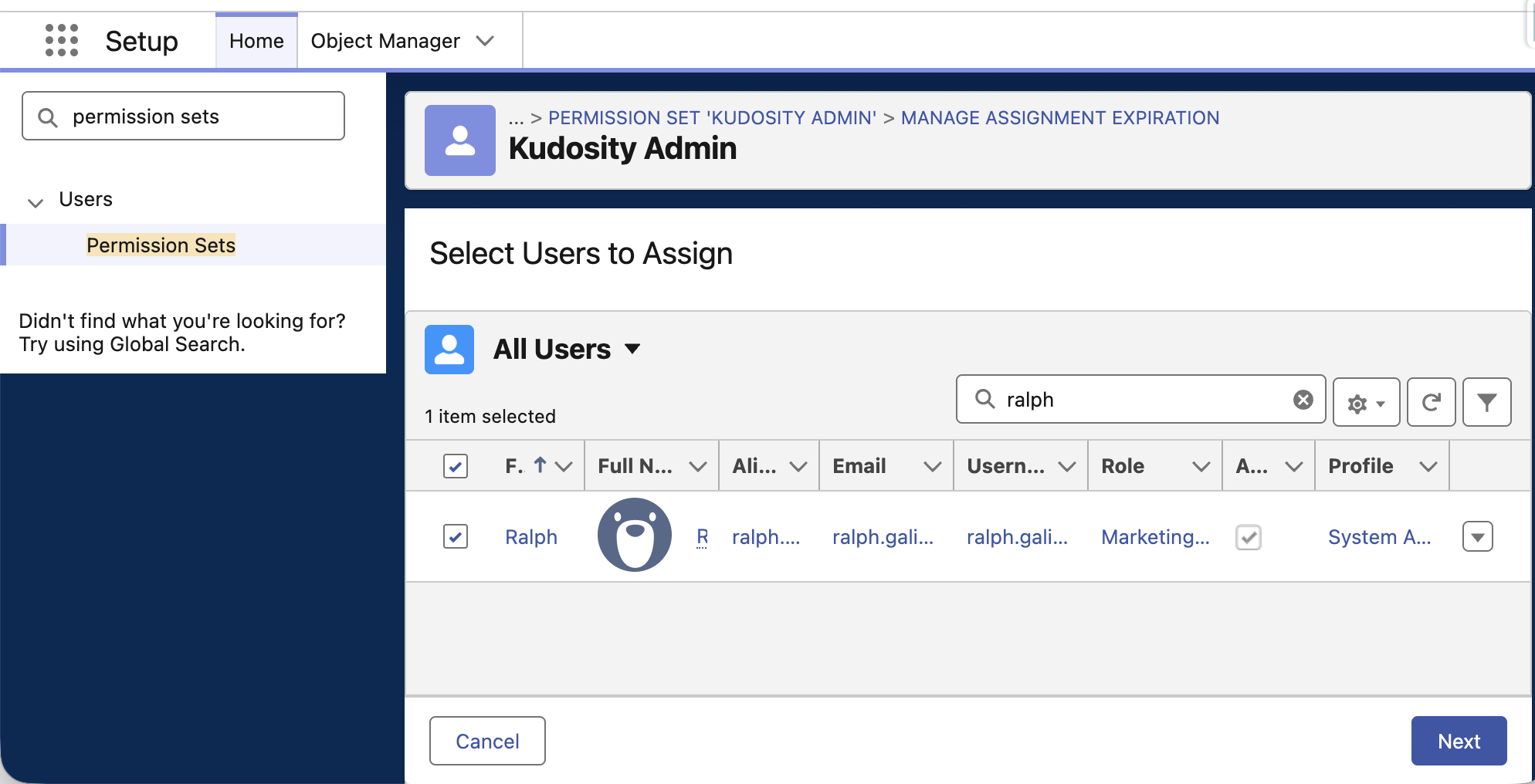
Assignment path: Setup → Permission Sets → select the permission set → Manage Assignments → Add Assignments
- In Salesforce Setup, open Permission Sets.
- Open the Kudosity permission set that matches the person's role.
- Select Manage Assignments, then Add Assignments.
- Select the users who need that role and save.
- Test while logged in as the assigned user — not as a System Administrator.
Which permission set to assign
| Permission set | API name | Intended for | Access |
|---|---|---|---|
| Kudosity Admin | Kudosity_Admin | Salesforce administrators managing the app | Full access to all Kudosity records including delete, View All and Modify All. Access to setup and configuration classes. |
| Kudosity User | Kudosity_User | Sales and marketing users who send SMS | Send individually and in bulk, manage their own templates and settings, view their own activity records. No delete on SMS records, no View All. |
| Kudosity View Only | Kudosity_ViewOnly | Managers and auditors who need visibility without send access | Read-only across sent messages, inbound replies, conversations, link hits and templates. Cannot send or modify records. |
Assigning a Kudosity permission set does not grant access to your CRM data. Access to Lead, Contact, Campaign, Case, Opportunity and custom objects stays controlled by your existing Salesforce profiles, permission sets, sharing rules and field-level security. A sender also needs Read access to the exact mobile phone field selected in the messaging screen, the country field if one is used, and every field used as a merge field.
Record-level access by permission set
| Object | Kudosity Admin | Kudosity User | Kudosity View Only |
|---|---|---|---|
Outbound SMS (OutboundSMS__c) | Create, Read, Edit, Delete, View All, Modify All | Create, Read, Edit | Read |
Inbound SMS (InboundSMS__c) | Create, Read, Edit, Delete, View All, Modify All | Read, Edit | Read |
Conversations (Conversation__c) | Create, Read, Edit, Delete, View All, Modify All | Create, Read, Edit | Read |
SMS Link Hits (SMSLinkHits__c) | Read, Edit, Delete, View All, Modify All | Read | Read |
SMS Templates (SMS_Template__c) | Full access to all templates | Create, Read, Edit, Delete — own templates | Read |
SMS User Settings (SMS_User_Setting__c) | Full access to all user settings | Create, Read, Edit, Delete — own settings | Read |
Inbound SMS and link hit records are created by the integration rather than by users, which is why Kudosity User has no Create permission on them and no role has Create on link hits.
All three permission sets make the same six Kudosity tabs visible, including Messaging and Settings. A Kudosity View Only user can open the Messaging tab but cannot send, because the permission set grants no sending access. Hide tabs at profile level if you need them out of sight entirely.
Use least privilege. Do not assign Kudosity Admin to work around a missing field, record or component. Resolve the specific object permission, field-level security, sharing rule, page visibility or Sender ID assignment instead.
Updated about 11 hours ago